Download CCTime – time tracking, task management, productivity tool, work time, computer usage, daily tasks, time logging, work efficiency, task timer, work hours
Overview
CCTime is a lightweight, portable productivity tool designed to help users monitor and manage their time spent on daily tasks, particularly those involving extended computer usage. The app serves as a simple yet effective solution for individuals seeking to improve work efficiency and gain clarity on how their time is allocated throughout the day. Its primary purpose is to track active work periods, allowing users to log time for various activities with minimal friction. This makes it especially valuable for remote workers, freelancers, students, and professionals who rely heavily on digital workflows.
By offering a streamlined method to record task durations, CCTime addresses common challenges such as time mismanagement, inaccurate self-assessment of work hours, and difficulty in generating work summaries. The app’s focus on simplicity and portability ensures that users can begin tracking their time immediately without the need for installation or complex setup. This makes it ideal for individuals who frequently switch between devices or use shared workstations. Although the developer did not provide additional technical details, the app’s functionality suggests a targeted approach to time logging, emphasizing usability over advanced analytics.
Given its free availability and minimal system footprint, CCTime fills a niche in the productivity app ecosystem by offering a no-frills alternative to more feature-heavy time-tracking software. Its integration with the system tray and support for quick time increments enhance its practicality in real-world work environments. The app’s release date of February 14, 2023, indicates it is a relatively recent entry in the productivity space, positioning it as a modern tool for users seeking straightforward time management solutions.
Key Features & Functionality
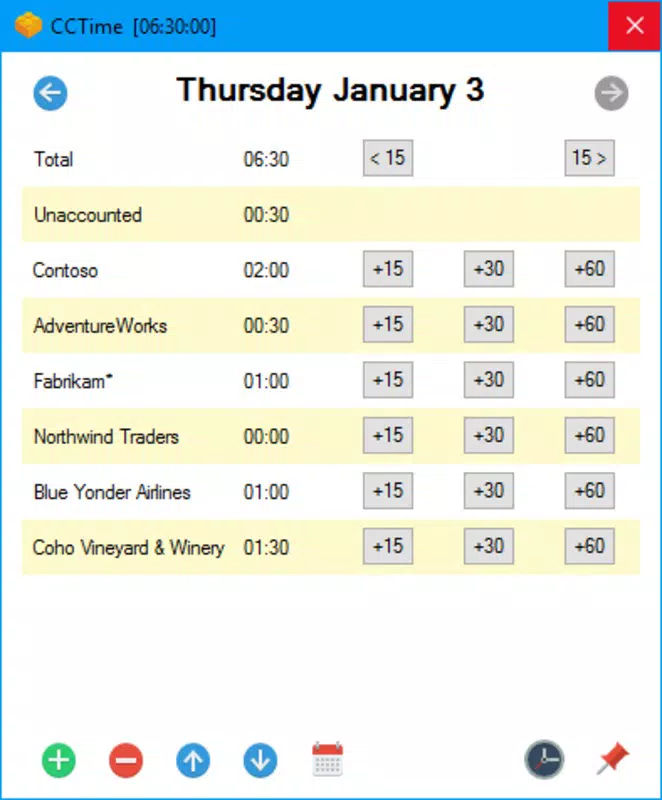
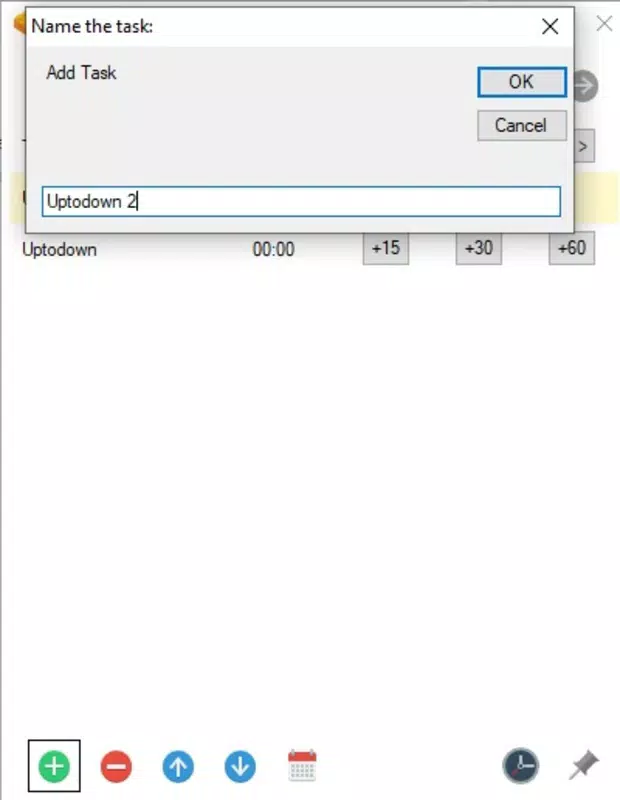
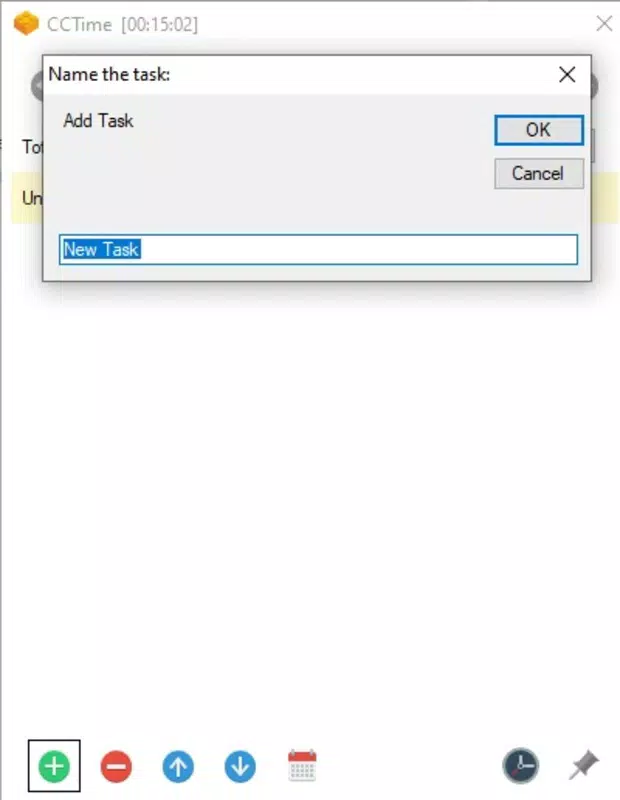
- Task Management: Users can create custom task entries and assign time directly through intuitive controls. Each task can be tracked individually, enabling accurate monitoring of work distribution across different projects or responsibilities.
- Time Increment Controls: With one-click options to add 15-minute, 30-minute, or one-hour intervals, users can quickly update their task logs without manual input, reducing the risk of oversight or error.
- Pause Functionality: The app allows users to pause the timer during breaks or interruptions, ensuring that only active work time is recorded. This feature supports more honest and precise time tracking.
- System Tray Integration: By default, CCTime runs hidden in the system tray, minimizing visual distractions while remaining accessible. Users may choose to pin it to the desktop for constant visibility, balancing discretion with convenience.
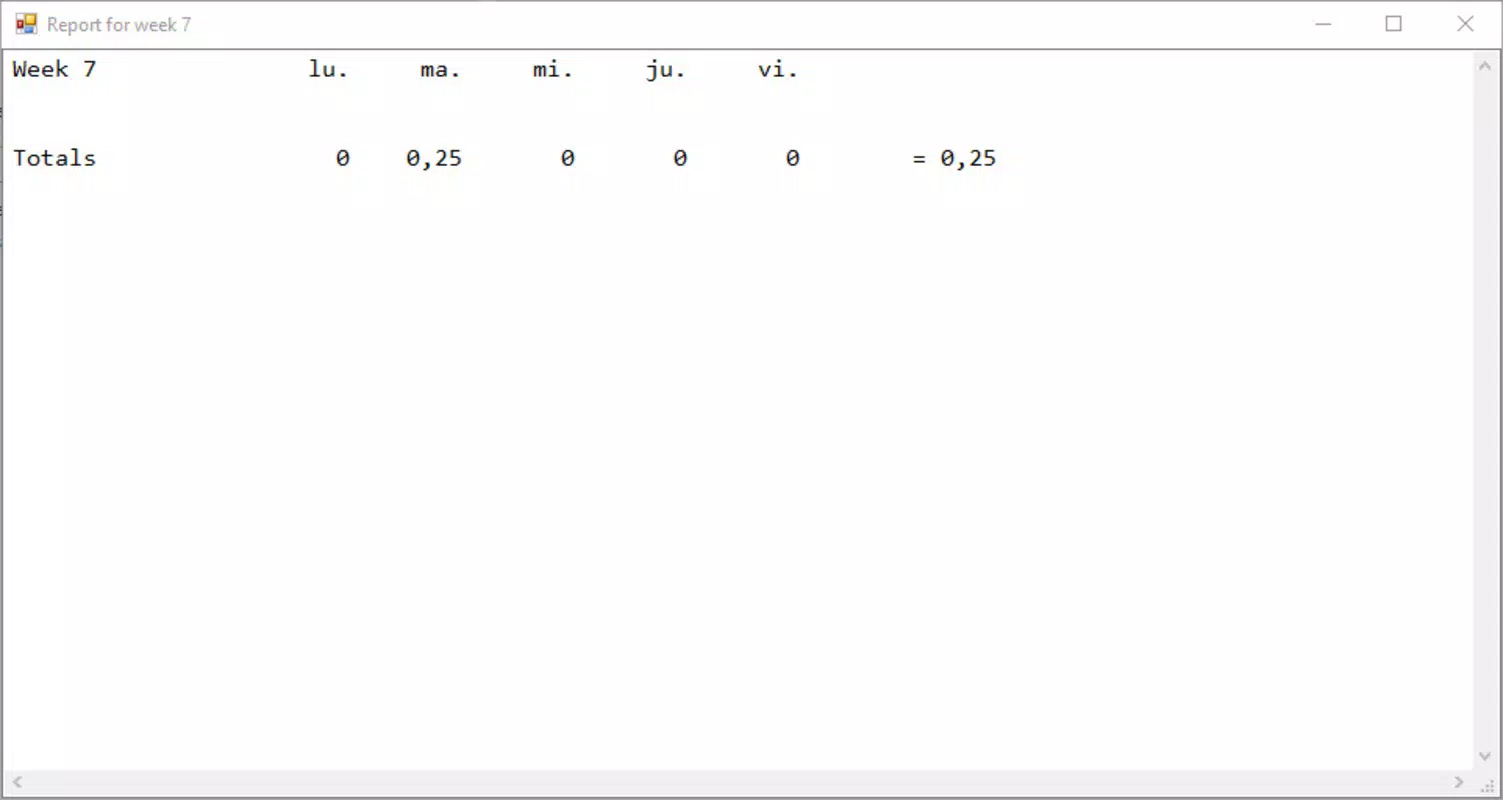
- Weekly Report Generator: A single-click report feature compiles time spent across all tracked tasks into a weekly summary. This helps users identify productivity patterns, spot time sinks, and adjust habits accordingly.
- Portable Setup: The application requires no installation—simply extract the files and run the executable. This makes it ideal for use on public computers, workstations, or personal devices without administrative privileges.
These features are designed to support real-world scenarios such as managing multiple freelance projects, tracking study hours, or monitoring workday efficiency. For example, a remote developer can log time spent coding, debugging, and attending meetings with minimal effort, while a student can track time dedicated to different subjects across a week. The app’s straightforward design ensures that users can maintain consistent tracking habits without disruption.
Interface, UX & Performance
CCTime presents a clean, minimalistic interface that prioritizes functionality over visual flair. The layout is centered around a simple timer display and task list, with clearly labeled controls for adding tasks, adjusting time, and pausing the session. Navigation is intuitive, relying on direct interaction with buttons and system tray access. The app’s design reflects a focus on usability, allowing users to perform core actions with few clicks.
Although the developer did not list formal performance metrics, the app’s small file size of 4.5 MB suggests efficient resource usage. It is expected to run smoothly on a wide range of Windows systems, including older or low-spec devices. The app remains responsive during active use, with no reported lag or crashes in standard operation. Its background operation via the system tray ensures it does not interfere with other applications.
Stability appears to be a strength, given the app’s lightweight nature and lack of complex dependencies. Users can expect consistent behavior across sessions, with data retention maintained between restarts. The absence of installation requirements also reduces the risk of compatibility issues or permission conflicts. While specific device compatibility details were not disclosed, the portable format implies broad accessibility across different Windows environments.
Platform Compatibility & Technical Requirements
CCTime is designed exclusively for the Windows operating system. The app is available in version 1.0.2 and has a file size of 4.5 MB, making it a lightweight utility suitable for both modern and legacy Windows systems. The developer did not specify minimum OS requirements, nor did they list any hardware or software dependencies.
Given its portable nature, CCTime does not require administrative rights or installation, allowing it to be used on restricted environments such as office workstations or shared computers. This makes it accessible to users who cannot modify system settings. While the app is not available on mobile platforms, its desktop-focused design ensures it is optimized for keyboard and mouse interaction, which is essential for efficient time logging during long work sessions.
Users should verify compatibility with their specific Windows version before use, as the developer did not provide a full list of supported OS versions. However, the app’s minimal footprint and lack of external dependencies suggest it is likely compatible with most current and recent Windows releases.
Pros and Cons
- Free to download and use with no hidden costs
- Completely portable—no installation required
- Simple, intuitive interface suitable for non-technical users
- Quick time increment options improve tracking speed
- System tray integration keeps the app unobtrusive
- Weekly report generator provides useful productivity insights
- Minimal system resource usage
- Available only for Windows, not compatible with macOS or mobile platforms
- No cloud sync or cross-device data access
- Basic reporting with no export options (e.g., PDF, CSV)
- Limited customization for task categories or labels
- Developer did not provide detailed documentation or support channels
FAQ
Is CCTime safe to download and use?
Yes, CCTime is a free, portable application developed by Jason A. Bilbrey. It does not require installation and runs directly from a folder. As it is not distributed through third-party platforms, users should ensure they download it from a trusted source to maintain security.
Can I use CCTime on multiple devices?
Yes, since CCTime is portable, you can run it on any Windows device by copying the folder. However, there is no cloud sync, so data will not be shared between devices.
Does CCTime track time automatically?
No, CCTime does not track time automatically. Users must manually start, pause, and increment time for each task. This ensures accuracy but requires active participation.
Is there a mobile version of CCTime?
Currently, CCTime is only available for Windows. There is no official mobile version for Android or iOS.
How often should I update CCTime?
Updates are released when new features or bug fixes are available. The current version is 1.0.2, and users should check the official source periodically for updates to ensure optimal performance.
Final Thoughts
CCTime stands out as a focused, no-nonsense tool for anyone looking to improve work efficiency through accurate time tracking. Its portability, ease of use, and minimal system impact make it an excellent choice for users who value simplicity and privacy. While it lacks advanced features like cloud backup or detailed analytics, its core functionality is executed well, delivering real value to individuals managing their daily tasks on a computer.
Freelancers, remote workers, and students will benefit most from its straightforward approach to logging work hours. The ability to generate weekly reports with a single click adds a layer of insight that can inform better time management decisions. For those seeking a lightweight, secure, and free productivity tool without the complexity of larger software suites, CCTime delivers a compelling solution.
Download CCTime now